With Steadfast ID, You'll enjoy a simpler, more secure login experience.
Watch how to Activate Your New Steadfast ID
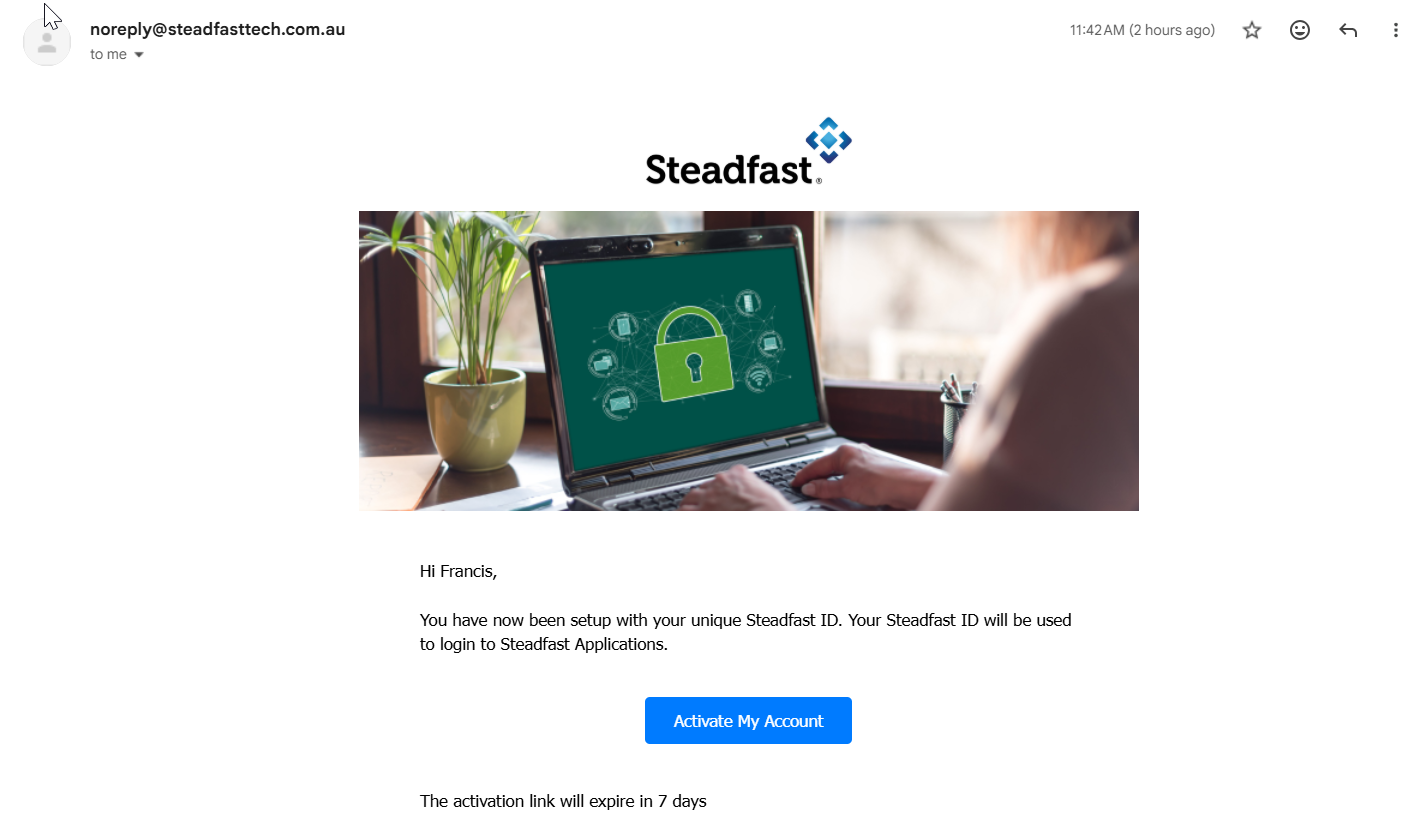
Step 1: Check Your Inbox for the Activation Email
You’ll receive an email titled “Activate your Steadfast ID”
From: noreply@steadfasttech.com.au
Open the email and click Activate my Account.
Step 2: Set Up Your Password
You’ll be taken to the Complete Signup page. Here’s what to do:
- Create a new password that meets the password policy
- Enter it again to confirm
- Select Submit
This becomes your Steadfast ID password.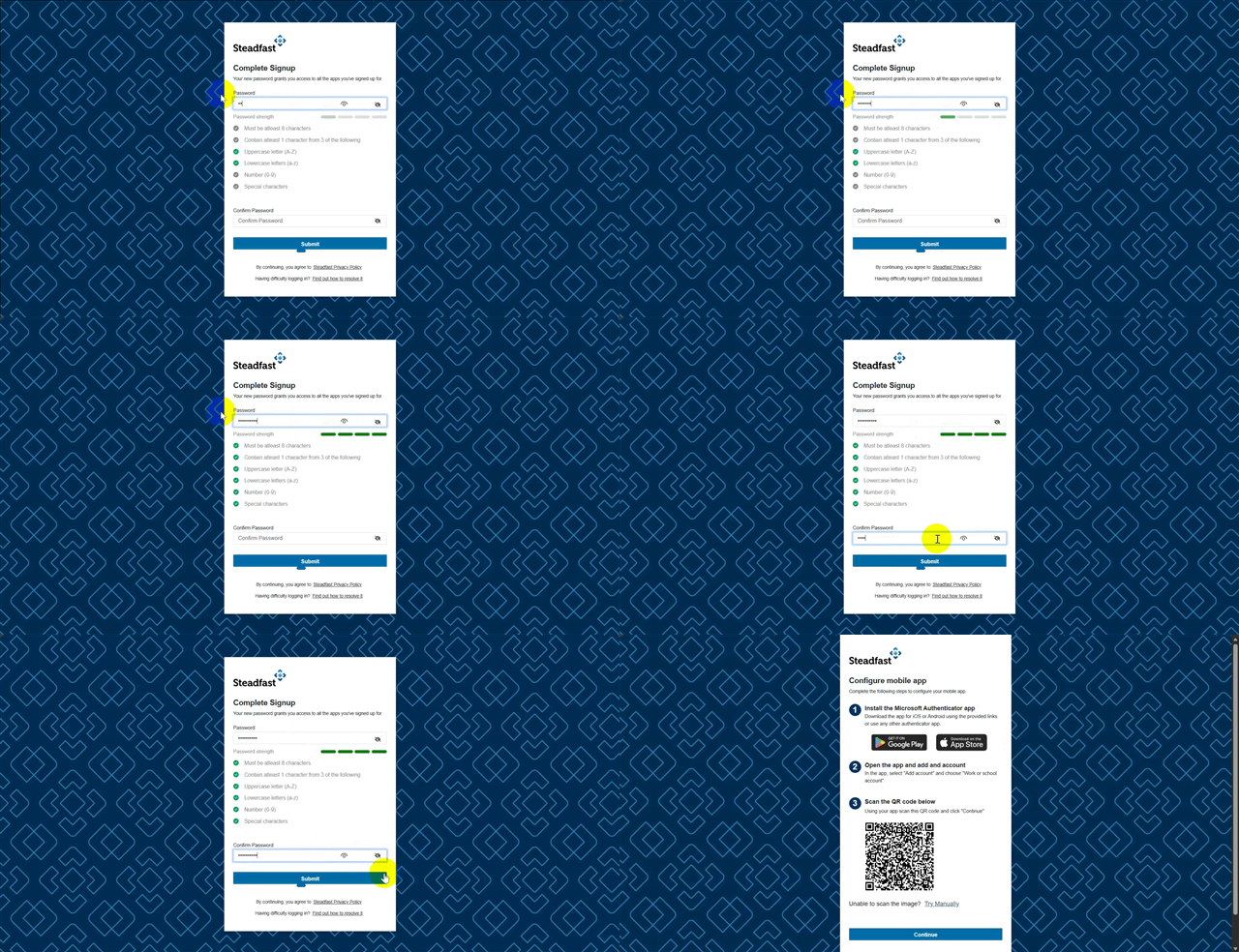
Step 3: Configure Your MFA (Multi‑Factor Authentication)
Next, you’ll be guided to set up MFA on your mobile phone - this extra layer of security protects your account. Follow the on‑screen prompts to:
- Install the Microsoft Authenticator MFA app (if you don’t already have it)
- Open the Microsoft authenticator app on your mobile device
- Tap Add Account
- Select Work or school Account
- Choose Scan QR code
- Use your phone to scan the QR code displayed on your computer screen to link your Steadfast ID
- Select continue
Step 4: Accept the Terms and Conditions
You’ll be shown the Steadfast ID Terms & Conditions.
- Scroll all the way to the bottom
- Select I Accept
Only after scrolling and accepting will the setup continue.
Step 5: Look Out for the Welcome Email
Once your activation is successful, you’ll automatically receive a Welcome to Steadfast ID email (from the same sender: noreply@steadfasttech.com.au)
This confirms your account is now ready to use.
Once activated, here are some quick links to help you get familiar
- MyApps Navigation
- MyApps: Explore and Launch Apps
- Admin Studio: Navigation & Layout
- Logging on to Applications
Something got you stumped?
Our team is here to help! We know change can be tricky, but we've got your back.

Contact our support team here and well get back to you shortly
Was this article helpful?
That’s Great!
Thank you for your feedback
Sorry! We couldn't be helpful
Thank you for your feedback
Feedback sent
We appreciate your effort and will try to fix the article