Activating your Steadfast Apps experience
On this page:
These FAQs are designed to help answer common questions about Steadfast Apps, including what to expect, timelines, and how the change will impact your day‑to‑day experience.
What will change initially?
The initial changes will include:
- A new user interface
- Enhancements to the left‑hand navigation menu
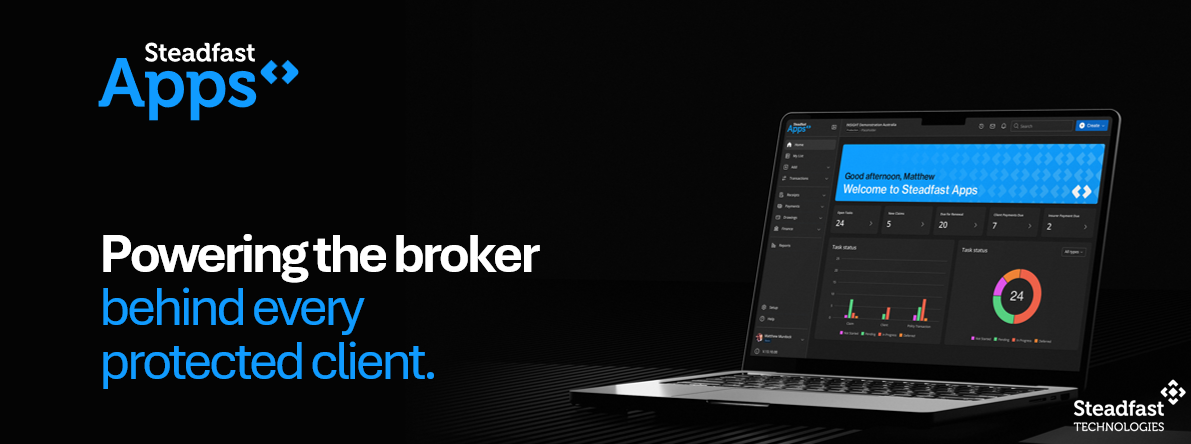
- New home screen dashboard
- Enhanced search functionality
- Online Help replacement with the Knowledge Studio
- Business Performance Dashboards will be integrated under the Reports menu
What AI capabilities is Steadfast developing for Steadfast Apps?
Steadfast is internally developing AI capabilities that will be embedded directly within Steadfast Apps, ensuring tighter integration, improved reliability, and clear compliance alignment. These capabilities are designed specifically to support broker workflows within the Steadfast ecosystem.
Our initial focus areas include:
Improving client and broker servicing
- AI‑assisted schedule reformatting
- Converting PDFs into structured data to eliminate re‑keying and improve efficiency
AI Virtual Assistant
- A smart enquiry assistant to initiate key journeys
- Quick reporting and insight responses to support day‑to‑day broker activity
Policy wording comparison
- Compare insurer policy wordings using AI
- Highlight key differences across lengthy PDS documents
- Support faster, more informed advice and decision‑making
These AI enhancements form part of the broader Steadfast Apps roadmap and will be delivered progressively over the quarterly releases.
Will the licence fee change with the rebrand of INSIGHT to Steadfast Apps?
For FY27, the licence fee communicated on 1 April 2026, will be effective from 1 July 2026 - 30 June 2027. The new features and capabilities made available from August onwards will be covered under this licence fee and there is no further increase. For FY28, the new Steadfast Apps licence fee will be made available at the Principals Forum in November and take effect on 1 July 2027. It is anticipated that the licence fee will increase given the new capabilities being delivered as part of the service. In addition, the cloud fees will be incorporated into the licence fee and will no longer be treated as a separate cost.
When is this happening?
Steadfast Apps will be activated in August 2026 for pilot brokers and production from 7th September, when INSIGHT transitions to Steadfast Apps with a newly branded user interface.
Future enhancements will be delivered as part of a quarterly release cycle, commencing from August and continuing over the next 12 months. This will allow us to progressively introduce improvements while ensuring stability and ongoing support.
Will my data be migrated as part of the move to Steadfast Apps?
Existing INSIGHT users will not be required to migrate their data as part of the September 2026 activation. Steadfast Apps is an evolution of the existing INSIGHT platform, and your existing client, policy, claims and business data will remain in place. The initial activation focuses on a new user interface and experience, with no data migration or data conversion activities required by brokers.
Will how I access the application change?
There will be no change to the URL you use to access the platform, and your existing user permissions and security access will remain unchanged.
The main change will be within MyApps, where the tile currently used to access INSIGHT will be updated to reflect the new Steadfast Apps name, logo and branding. From activated, users will simply access the same platform via the newly branded Steadfast Apps tile.
Will I need to be retrained to use Steadfast Apps?
While Steadfast Apps introduces a modernised user interface and navigation experience, the initial activation has been designed to minimise disruption for existing INSIGHT users. Webinars and support materials will be available to help brokers become familiar with the new look and feel, however users should still recognise the core functionality they use today.
Will my day‑to‑day workflows change immediately?
No. The initial activation has been designed to create minimal disruption to how brokers work today. Enhancements will be introduced progressively over time via quarterly releases.
How will Steadfast Apps improve broker efficiency?
By reducing system hand‑offs, minimising duplicate data entry, improving data quality, and enabling smarter workflows across sales, servicing, claims, and compliance activities.
What other future enhancements are coming?
Steadfast Apps will deliver iteratively enhanced CRM capability, document management, workflow automation, analytics, and AI‑enabled features that support the full client, policy, and claims lifecycle. There will be changes to key workflows for how brokers quote and process transactions as we review the end to end broking workflow. The end outcome is delivering a single, connected digital ecosystem across the insurance lifecycle
Will there be support and guidance with the releases rolled out to the network?
Yes. Brokers will receive ongoing communications, training, and support as part of a broader change program leading up to and following activation. Steadfast will be offering training on the new enhancements through multiple channels, including face‑to‑face sessions, webinars, knowledgebase articles and eLearning modules. Further details and schedules will be shared via upcoming communications, so please keep an eye out for these. Why is Steadfast Technologies making these changes?
Steadfast is committed to bringing market leading insurtech to our broker network. We are investing to reduce the admin burden on our network with meaningful efficiencies whilst operating in a secure, robust and scalable solution.
How do I submit an Idea?
If you have an idea for Steadfast Apps, you can submit it through our Knowledge Studio link Submit a ticket Find out more here:
Knowledge Studio
Dashboards
Will my reports and dashboards still be available?
Existing reporting capabilities will remain available as part of Steadfast Apps. There is no change to your access to reports and dashboards. As part of the transition, INSIGHT Business Performance Dashboards will be renamed Steadfast Intelligence and will be integrated into the Data menu, providing a more streamlined experience for accessing reporting, dashboards and analytics through a single location. The functionality and insights available today will continue to be accessible under the new Steadfast Intelligence branding.
Can I customise the information displayed on my dashboards?
Yes. Dashboard information and widgets can be customised to suit your preferences and business needs. Refer to the below articles for step-by-step instructions on configuring your dashboard layout, widgets, and displayed information. Find out more here:My Customisations
My Lists
Personalising Dashboard Widget Views
Dashboard Widgets
How can I display specific details such as Branch, Sales Team, or AR in my widgets?
You can customize the information displayed in your widgets using the My Customisation feature. This allows you to select and display specific details, including Branch, Sales Team, and AR, based on your preferences. For step-by-step instructions on configuring your widget display settings, refer to the My Customisation guide here: My Customisations
Why is data not displaying in my dashboard widgets?
If your dashboard widgets are visible but no data is displaying, it may be due to missing permissions for the data you are trying to view. Please check with your Administrator to ensure you have the appropriate permissions assigned. For example: To view Claims data, you must have Claims permissions. Other dashboard widgets may also require specific access permissions. If you have confirmed that the required permissions are assigned and the data is still not displaying, please contact our Support Team for assistance.
Can I customise the branding of the AI Schedule Formatter?
No. Currently, the AI Schedule Formatter provides a standardised schedule output and does not support custom branding. While custom branding is not available, you can edit and customise the schedule content before posting to ensure it meets your requirements.
Does the AI Schedule Formatter store Data?
No. AI Schedule Formatter is a bypass tool that processes content without storing or retaining data. Find out more here: Steadfast Apps: AI Schedule Formatter Upload, Review, Process
API
I use the INSIGHT API, is there any impact on existing API integrations? No. At this stage, there is no impact on any existing API integrations. Over time, we will be transitioning from an open API model to an API marketplace. We will share more information as the program progresses. The move to an API marketplace allows Steadfast to ensure all vendors meet Steadfast security standards, providing a more secure and governed integration environment for partners and brokers. Any future changes related to the API marketplace will be communicated in advance, for you to work with your vendors to make any necessary changes to integrate through the marketplace.
SCTP
What changes are happening to SCTP?SCTP will also be modernised as part of the program. As part of these enhancements, the SCTP interface will receive an uplift to improve usability and experience. In addition, moving forward, SCTP will be accessed via the Steadfast Apps application, even if you use an alternate broker management solution (you will have access to SCTP functionality only). In terms of insurer integration, Steadfast will be introducing API first connectivity to SCTP to make it easier to onboard new insurers and products.
For brokers who will only use the SCTP functionality of Steadfast Apps
Brokers who use an alternate broker management application, there will be no cost as today. SCTP will continue to be a service provided to Steadfast Network.
Sunrise
Will Sunrise Exchange still be integrated with Steadfast Apps?Yes. The Sunrise product will continue to be integrated with Steadfast Apps, and there is no change to this integration.
I am interested in coming on to Steadfast Apps
I don't currently use INSIGHT, but am interested in coming on to Steadfast Apps, how can I migrate on to Steadfast Apps? If you are interested in coming on to Steadfast Apps, please email info@steafasttech.com.au Migrations on to Steadfast Apps will begin in February 2027, and we will work with you to find a suitable time to migrate.
If I use an alternate DMS and would like to use the Steadfast Apps DMS
Will I be able to migrate my files/data across? We will be reviewing how we migrate DMS data into Steadfast Apps and will share more of this as part of the roll out of the DMS capability.
 Something got you stumped?
Our team is here to help! We know change can be tricky, but we've got your back.
Contact our support team here and well get back to you shortly
Something got you stumped?
Our team is here to help! We know change can be tricky, but we've got your back.

Contact our support team here and well get back to you shortly